

The Ultimate Guide to Time Management for Sales Professionals: How to Sell Smarter with Microsoft Outlook
Why Most Salespeople Don't Have a Time Problem
The Real Problem
Every sales professional wants better results. They invest in prospecting training, study closing techniques, refine their scripts, and spend thousands of dollars on CRM systems and sales technology. Yet despite all of these efforts, many still struggle to consistently hit their goals.
Why?
Because their biggest challenge usually isn't a lack of sales knowledge—it's a lack of control over their time.
The average salesperson spends their day fighting a constant stream of interruptions. Emails arrive every few minutes. Text messages demand immediate attention. Internal meetings consume valuable selling time. Follow-up commitments get buried in overflowing inboxes. Important tasks are tracked on sticky notes, legal pads, spreadsheets, and sometimes only in memory. Before long, the day is over and the most important activities—prospecting, relationship building, and revenue-generating conversations—have been pushed aside.
The result is a frustrating cycle of reactive selling. Instead of executing a deliberate plan, sales professionals spend their days responding to whatever appears next on their screen. Opportunities slip through the cracks, follow-ups are missed, commitments are forgotten, and prospecting becomes inconsistent. The problem isn't that salespeople are lazy or unmotivated. Most are working incredibly hard. They're simply allowing interruptions to dictate their priorities.
At Paulsen Coaching, we teach a different approach through our Sell Sm@rter methodology. We believe that time management is actually a misleading term because time cannot be managed. Every person receives the same 24 hours each day.
What can be managed are priorities, commitments, and attention.
The most successful sales professionals don't necessarily work longer hours than everyone else. They make better decisions about where their time goes. They have systems for managing tasks, controlling distractions, planning their days, and ensuring that revenue-producing activities happen consistently.
In this guide, you'll learn how to use Microsoft Outlook as a powerful productivity system that helps you regain control of your workload, eliminate chaos, and ultimately Sell Sm@rter.
The Hidden Cost of Poor Time Management in Sales

Sales is unlike almost any other profession. On any given day, a sales professional may be responsible for generating new opportunities, meeting with clients, following up on proposals, updating the CRM, attending internal meetings, completing administrative tasks, and investing time in personal development. Each activity is important, yet every one competes for the same limited resource: time.
This constant tug-of-war creates a unique challenge. While most professionals can focus on a relatively narrow set of responsibilities, salespeople must continuously shift between activities that require different levels of energy, attention, and urgency. Without a system for managing those demands, even the most talented sales professional can quickly become overwhelmed.
The consequences of poor time management extend far beyond a cluttered calendar or an overflowing inbox. The real cost is measured in lost revenue and missed opportunities. A prospect who doesn't receive a timely follow-up may choose a competitor. An important proposal may sit untouched for days because urgent but less important tasks keep getting in the way. Prospecting activities get postponed until "tomorrow," causing the pipeline to shrink weeks or months later.
Over time, this chaos produces longer sales cycles, lower close rates, and inconsistent performance. Perhaps even more damaging is the personal toll. Constantly reacting to interruptions creates stress and frustration. Sales professionals often find themselves working longer hours while feeling like they're accomplishing less. Eventually, many experience burnout—not because they're unwilling to work hard, but because their efforts are scattered across too many competing priorities.
One of the biggest misconceptions in sales is the belief that being busy means being productive. In reality, the busiest salespeople are not always the most successful. Responding to emails all day, attending back-to-back meetings, and checking items off a to-do list may create the feeling of progress, but activity alone does not generate revenue.
Productivity is not measured by how much you do. It is measured by how much of what you do actually matters.
The highest-performing sales professionals understand this distinction. They focus their time on activities that create opportunities, advance deals, strengthen relationships, and generate results. They don't simply stay busy—they stay focused on what matters most.
Take a deeper dive into how poor time management skills cost sales professionals in our article, "The Real Cost of Interruptions in Sales."
The Sell Sm@rter Time Management Philosophy

At Paulsen Coaching, we teach that planning is the most important sales management skill a professional can develop. While many salespeople spend years learning how to prospect, present, negotiate, and close, very few invest time in mastering the systems that determine how effectively they execute those activities. The result is often a busy schedule with disappointing results.
One of the biggest misconceptions in sales is believing that a to-do list is a plan. It isn't.
A to-do list is simply a collection of activities competing for your attention. Without priorities, deadlines, and dedicated time on your calendar, those activities become little more than good intentions. Many sales professionals start their day by reviewing a long list of tasks and then spend the rest of the day reacting to whatever seems most urgent at the moment.
Effective planning creates something far more powerful than a to-do list—it creates clarity.
Contrary to what some people believe, planning does not reduce flexibility. It actually increases it. When you know what your priorities are and when you intend to complete them, you gain the ability to adjust intelligently when unexpected opportunities or challenges arise. Without a plan, every interruption feels equally important.
Planning also gives you permission to say "no." Every sales professional is faced with requests, distractions, meetings, and activities that compete for valuable selling time. When you have a clear plan, it becomes much easier to determine whether a new request aligns with your priorities or simply pulls you away from them.
Perhaps most importantly, planning reduces stress. Instead of carrying dozens of unfinished commitments in your head, you can trust your system to keep track of them. This eliminates the mental burden of constantly trying to remember what needs to be done next.
The difference between reactive and proactive selling often comes down to planning. Reactive sellers live in their inboxes. They constantly switch between tasks, respond to every notification, and allow other people to dictate their priorities. Their days are driven by interruptions.
Proactive sellers operate differently. They work from a plan. They control their calendars instead of letting their calendars control them. They schedule prospecting, follow-up, client meetings, and project work before the day begins. Most importantly, they put their highest-priority activities on their calendars first and build the rest of their day around them.
The Sell Sm@rter philosophy is simple: if it matters, schedule it. Success doesn't happen by accident—it happens by design. Read more about it in our article, "The Sell Sm@rter Time Management Philosophy."
Why Your Inbox Should Never Be Your To-Do List
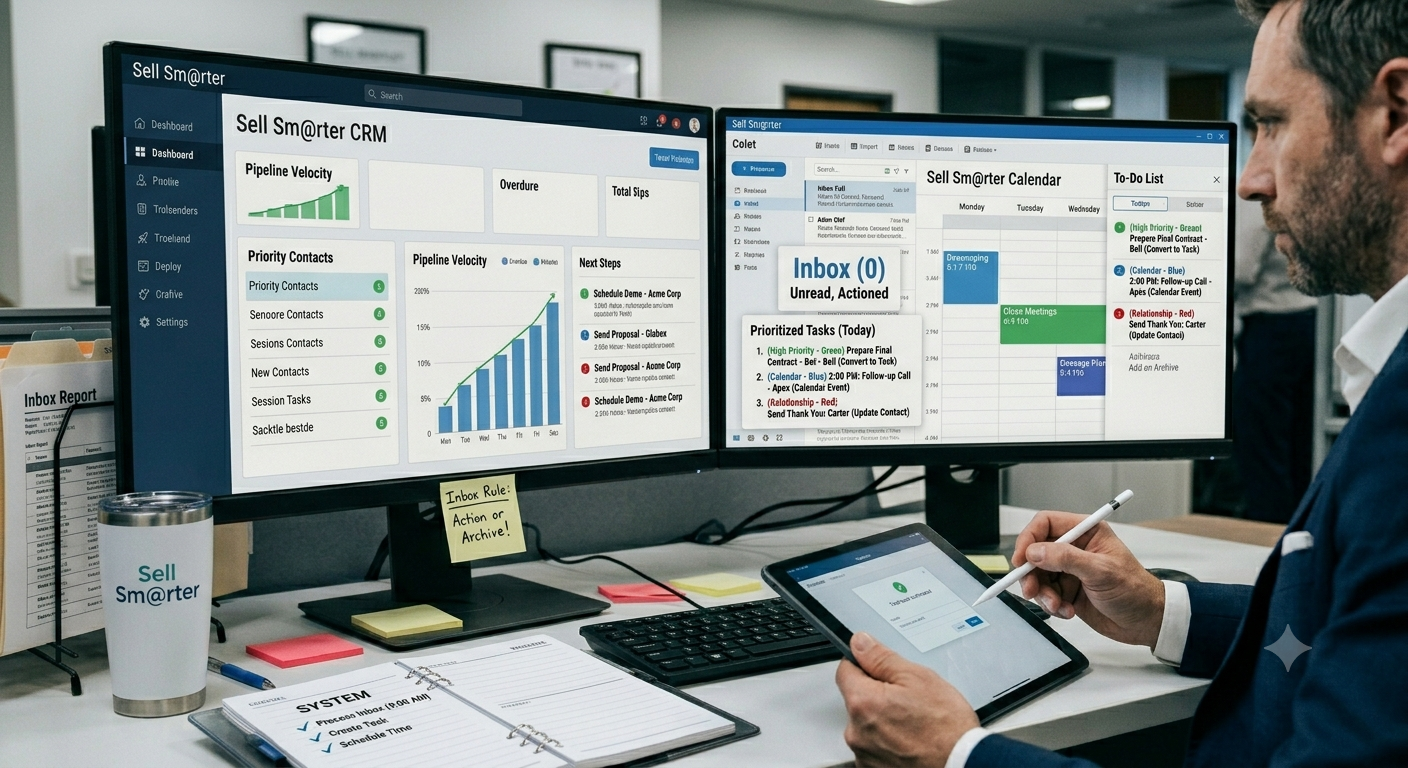
One of the most common productivity mistakes sales professionals make is using their inbox as their primary task management system. While email is an effective communication tool, it was never designed to manage priorities, track commitments, or drive execution. Yet every day, salespeople attempt to run their entire workload from an inbox overflowing with messages.
Think about how most sales professionals manage their responsibilities. Some rely on email folders. Others use sticky notes attached to their monitor. Many keep handwritten notes on legal pads. Some attempt to remember everything in their heads. The result is usually the same: important commitments become scattered across multiple locations with no centralized system to manage them.
This approach may seem manageable when business is slow, but as opportunities increase, cracks begin to appear. Follow-up commitments get buried under newer emails. Important customer requests disappear several pages deep in the inbox. Action items from meetings are forgotten. Prospecting activities become inconsistent because there is no structured process for managing priorities.
The problem with email-based work is that emails hide commitments.
An email may contain a customer question, a proposal request, a follow-up reminder, or an opportunity to schedule a meeting. But Outlook doesn't automatically distinguish between information and action. Everything looks the same. As new emails arrive, yesterday's commitments become harder and harder to find.
This creates three significant challenges.
First, follow-ups get lost. A salesperson reads an email, intends to respond later, and then becomes distracted by the next urgent issue. Days or even weeks pass before the original message resurfaces.
Second, priorities become unclear. When every email sits in the same inbox, there is no easy way to distinguish between high-value revenue-generating activities and low-priority administrative requests.
Third, the inbox becomes a source of stress. The growing volume of unread and unprocessed messages creates a constant feeling that something important is being overlooked.
At Paulsen Coaching, we teach a simple Sell Sm@rter rule:
Never leave an actionable email in your inbox.
Every actionable email should be converted into one of three things:
A task if work needs to be completed.
A calendar event if time must be reserved.
A contact if relationship management is required.
Once the action has been captured, the email can be filed, deleted, or archived.
Your inbox should be a temporary processing station, not a storage facility for commitments. When every action has a proper home, you gain visibility into your priorities, improve follow-up consistency, and eliminate the stress of trying to remember everything. That's when you stop reacting to your inbox and start controlling your day.
Take a deeper dive into Inbox management in our article, "Why Your Inbox Should Never Be Your To-Do List."
Building Your Sales Command Center in Outlook
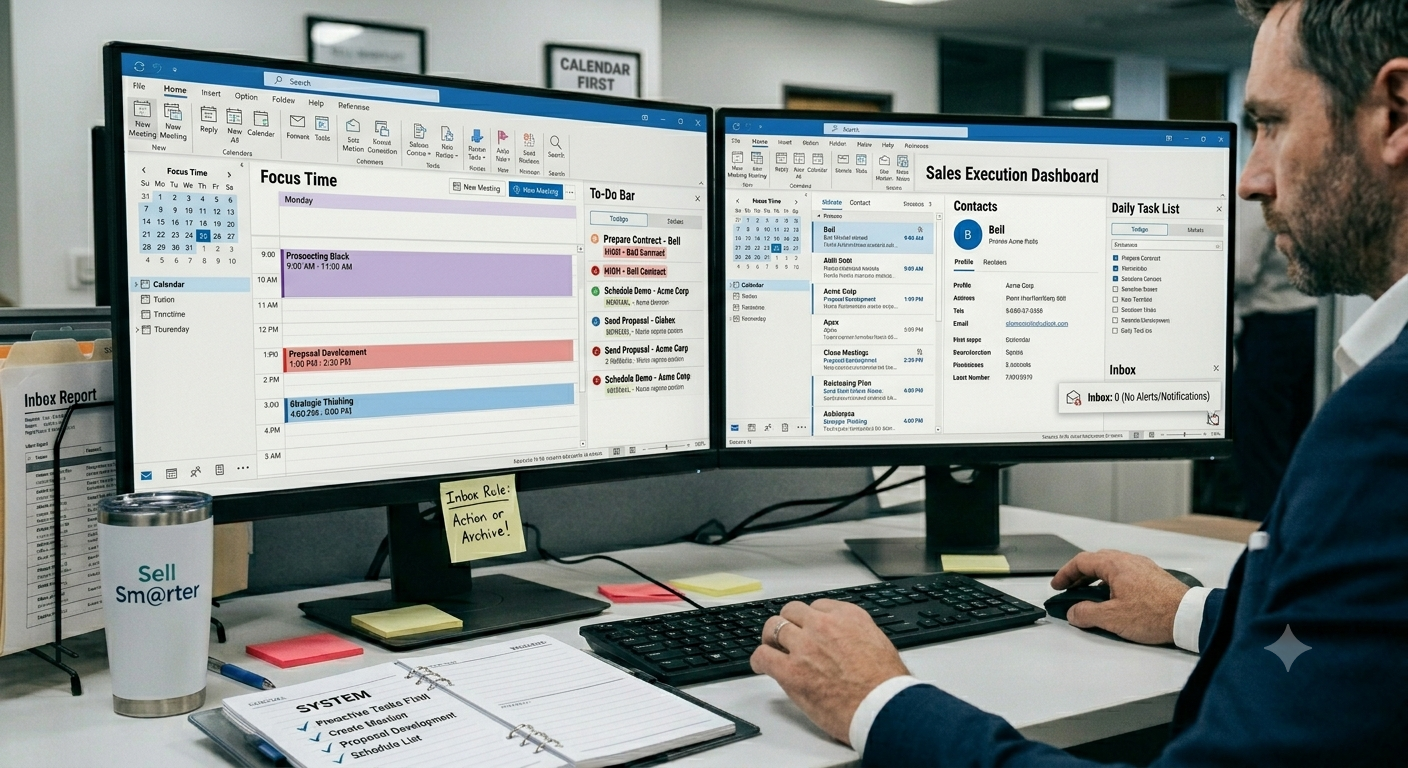
Most sales professionals think of Microsoft Outlook as an email application. In reality, Outlook is much more than a communication tool. When configured properly, it becomes a complete sales productivity system—a central command center that helps you manage commitments, control your schedule, and execute your priorities consistently.
The Sell Sm@rter methodology teaches that Outlook should serve four critical functions for every sales professional: task manager, calendar, planning tool, and CRM companion.
As a task manager, Outlook helps you capture commitments and organize them according to priority and due date. As a calendar, it allows you to schedule appointments, prospecting blocks, project work, and follow-up activities. As a planning tool, it provides visibility into your workload and helps you allocate your time intentionally. And when used alongside your CRM, Outlook becomes the execution engine that ensures opportunities receive the attention they deserve.
The key is configuring Outlook to support productivity rather than distraction.
One of the first changes we recommend is opening Outlook in Calendar view instead of Inbox view. Most salespeople start their day by looking at emails, immediately placing themselves in a reactive mindset. Starting with your calendar shifts your focus to commitments, priorities, and planned activities.
Next, leverage the To-Do Bar and Daily Task List. These features provide a centralized view of your tasks alongside your calendar, allowing you to see what needs to be accomplished and when. Assign priorities to every task—High, Normal, or Low—so you can quickly distinguish revenue-generating activities from routine administrative work.
This supports what we call a calendar-first workflow. Instead of asking, "What email should I answer next?" you begin asking, "What is the highest-value activity on my calendar right now?" That subtle shift can dramatically improve productivity and focus.
Just as important is eliminating unnecessary interruptions.
Many sales professionals allow Outlook to interrupt them hundreds of times per day through desktop alerts, sound notifications, pop-up messages, and excessive reminders. Every interruption forces the brain to switch contexts, reducing concentration and increasing the time required to return to meaningful work.
Turn off email notifications. Remove reminders that provide little value. Reserve reminders for truly important appointments and deadlines. Most importantly, protect blocks of focus time on your calendar for prospecting, follow-up, proposal development, and strategic thinking.
The goal is simple: Outlook should help you execute your priorities—not distract you from them. When configured correctly, it becomes one of the most powerful productivity tools available to sales professionals who want to Sell Sm@rter. Learn more about setting up MS Outlook as your productivity tool in our article, "The Best MS Outlook Setup for Sales Professionals."
Mastering Task Management Like a Top Producer

Top producers don’t rely on memory, motivation, or luck to manage their workload. They rely on a disciplined task system that removes ambiguity and turns every commitment into a clear, actionable next step. At the center of that system is a simple idea: tasks are not reminders of work—they are the work, clearly defined.
The Purpose of Tasks
Every effective task should answer three questions:
• What needs to be done?
• When does it need to be done?
• How important is it compared to everything else?
If a task doesn’t answer all three, it isn’t truly actionable—it’s just a loose thought waiting to resurface later. High performers eliminate that uncertainty by making every task specific enough that execution requires no interpretation. The moment a task is created, it should be obvious what action comes next and how it fits into the broader workflow.
Creating Effective Tasks
The difference between a strong task system and a weak one often comes down to structure. Vague entries create hesitation. Clear, well-formed tasks create momentum.
Best practices include:
• Start with action verbs
Every task should begin with a verb that describes movement, not intention. “Call,” “send,” “review,” “schedule,” and “follow up” create clarity. Avoid passive language that requires interpretation.
• Assign start dates
A task without a start date is easy to ignore. Start dates define when attention should begin, not just when something is due.
• Assign due dates
Due dates establish accountability. They create urgency and help prioritize execution within a crowded workload.
• Set priorities
Not all tasks carry equal weight. Prioritization ensures that attention is directed toward what drives results, not just what feels urgent in the moment.
A simple comparison shows the impact of clarity:
Bad:
• ABC Company
This could mean anything—call them, email them, research them, or file them.
Good:
• Call ABC Company regarding proposal revisions
Now the action is unmistakable. There is no decision required before execution. That is the goal.
Organizing Tasks by Priority
A strong task system is also a filtering system. Every task should fall into one of three categories:
• High Priority – Directly impacts revenue, key relationships, or critical deadlines
• Normal Priority – Important work that supports ongoing progress
• Low Priority – Administrative or non-urgent items that can be batched or delayed
This structure prevents reactive work from overtaking strategic execution. It forces intentionality into the daily workflow.
Capturing Every Commitment
Top performers understand a simple truth: unfinished thoughts are productivity leaks. When commitments, ideas, or reminders are not captured immediately, they loop in the background of the mind and create what can be described as “cycling thoughts.”
Cycling thoughts are mental fragments that repeat until they are recorded somewhere reliable. They drain focus, increase stress, and reduce clarity. The solution is immediate capture—turning every open loop into a defined task the moment it appears.
Once everything is captured, organized, and prioritized, the mind is free to do what it does best: execute.
The Salesperson’s Calendar Is a Revenue Tool
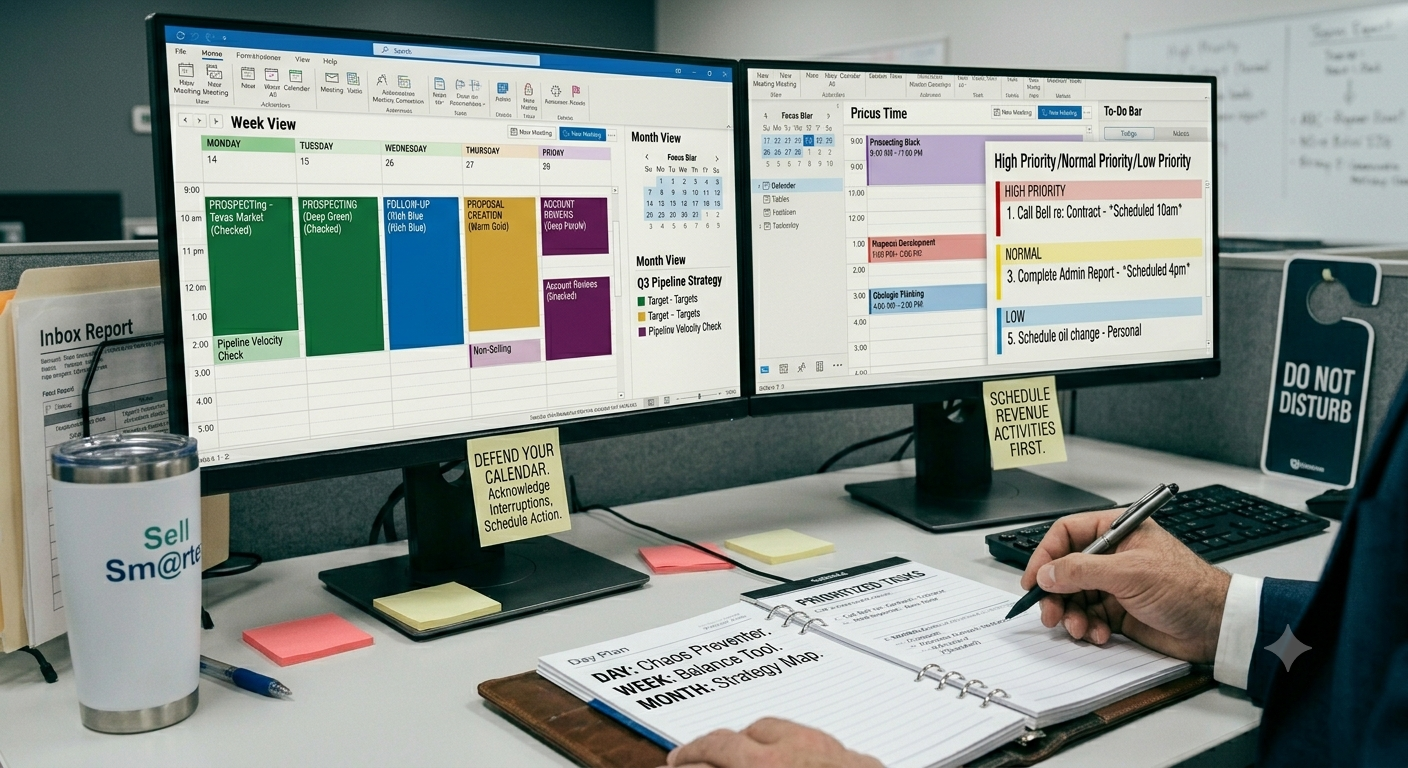
High-performing salespeople don’t treat their calendar as a passive scheduling tool—they treat it as a revenue-generating system. Every block of time represents either income-producing activity or a distraction from it. The difference between average and top producers often comes down to how intentionally their calendar is designed and defended.
The Role of the Calendar
A sales calendar is not just a record of where you need to be. It is a real-time execution map for your pipeline. It organizes:
• Appointments – Active conversations moving deals forward
• Meetings – Internal or external alignment sessions
• Fixed commitments – Non-negotiable obligations that structure the day
• Revenue-producing activities – Direct work that creates pipeline and closes deals
When used correctly, the calendar becomes a forcing function. It ensures that selling activity is not something you “fit in” after everything else—it becomes the foundation everything else is built around.
Day View vs Week View vs Month View
Different calendar views serve different purposes, and top performers intentionally switch between them:
• Day View – Execution mode. Used for managing real-time activity, calls, meetings, and immediate priorities.
• Week View – Balance mode. Used to ensure proper distribution of selling time, follow-ups, and meetings across the week.
• Month View – Strategy mode. Used to see pipeline velocity, forecast workload, and prevent overbooking or under-activity.
Each view prevents a different type of failure: the day view prevents chaos, the week view prevents imbalance, and the month view prevents strategic drift.
Scheduling Revenue Activities First
Most salespeople fill their calendar with meetings and leave selling time for “later.” Top producers reverse this order. They schedule revenue-generating activities first, then build everything else around them.
Priority revenue activities include:
• Prospecting – Creating new opportunities
• Follow-up – Advancing existing deals
• Proposal creation – Structuring offers and closing momentum
• Account reviews – Expanding and retaining existing revenue
If these activities are not explicitly scheduled, they get displaced. And what gets displaced rarely gets done.
Blocking Time for Important Work
The most effective sales calendars include intentional, protected blocks of time for deep work. These are non-negotiable windows reserved for high-value execution, not reactive communication.
This is where the core discipline comes in:
“Schedule priorities before interruptions.”
Interruptions will always exist—emails, calls, internal requests, unexpected issues. The difference is whether they are allowed to define your day or forced to fit around it. A revenue-focused calendar ensures that the most important work is already locked in before the noise begins.
The 4-D System for Managing Sales Work
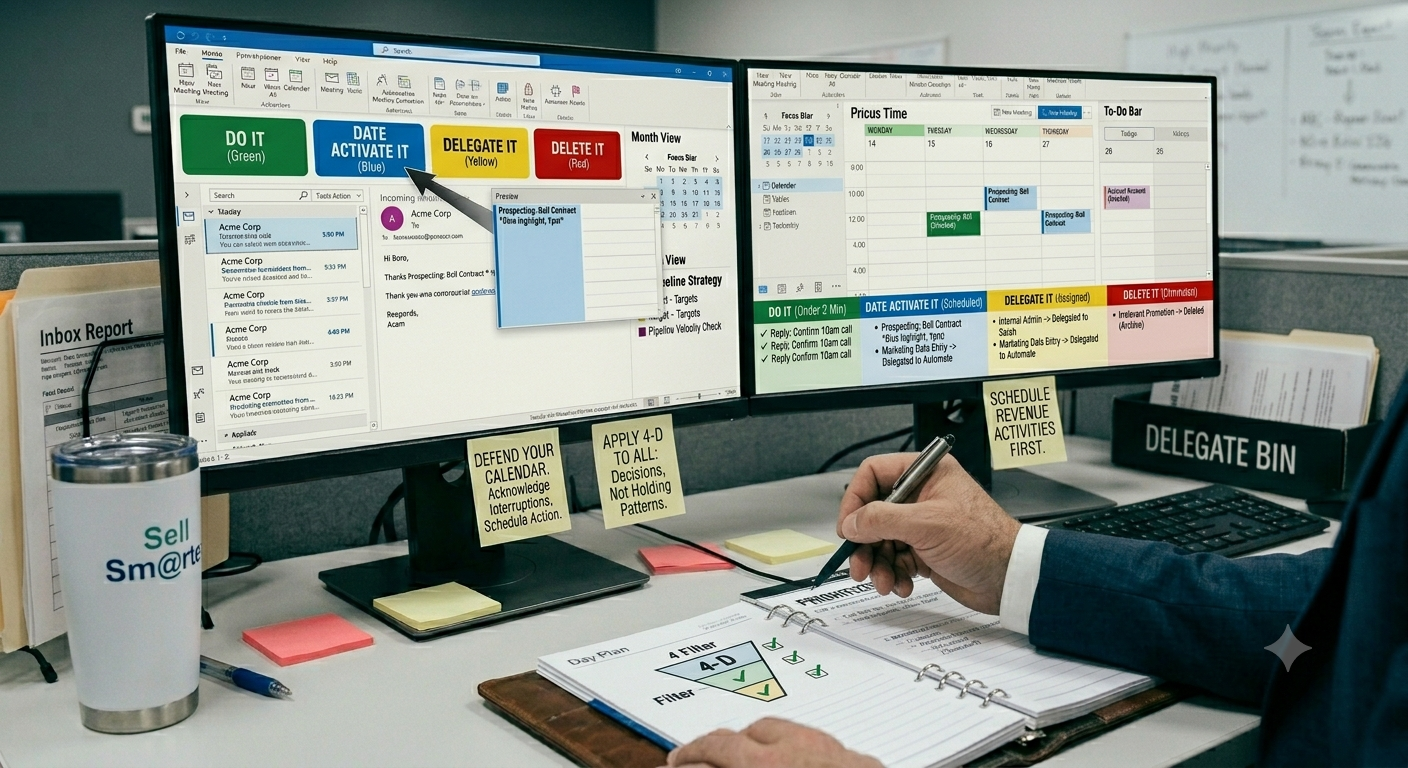
Saleswork doesn’t become overwhelming because there is too much to do—it becomes overwhelming because everything is treated as equally urgent. The 4-D System solves this by forcing a decision at the moment something enters your world. Every email, task, request, or opportunity gets one of four outcomes: Do It, Date Activate It, Delegate It, or Delete It. No exceptions, no holding patterns.
The Four Decisions
At the core of the system is a simple filter applied to every incoming item:
• Do It – If it takes less than a couple of minutes and creates immediate value, execute it right away. No scheduling, no overthinking.
• Date Activate It – If it’s important but not urgent, schedule it for a specific time in the future. This prevents “mental clutter” and ensures follow-through.
• Delegate It – If someone else can do it faster, better, or more appropriately, assign it immediately and remove it from your workload.
• Delete It – If it does not meaningfully contribute to revenue, relationships, or required obligations, eliminate it entirely.
The power of the system is not in the categories themselves—it’s in the discipline of making a decision every time.
Applying the 4-D System to Email
Email is where most salespeople lose control of their day. Without a decision system, the inbox becomes a task list, a filing cabinet, and a distraction engine all at once.
Using the 4-D approach:
• Quick replies or confirmations are Done immediately
• Follow-ups, proposals, or scheduled outreach are Date Activated on the calendar or task list
• Internal requests or admin work are Delegated to the appropriate team member
• Promotions, noise, and irrelevant messages are Deleted without hesitation
The inbox stops being a place where work accumulates and becomes a processing station where work gets resolved.
Applying the 4-D System to Tasks
Tasks fail when they are stored instead of processed. The 4-D system ensures every task has a purpose or doesn’t exist at all.
• Small actions are completed immediately
• Strategic work is scheduled with clear activation dates
• Non-sales or non-core tasks are delegated wherever possible
• Low-impact tasks are deleted without guilt
This prevents task lists from becoming digital clutter and keeps focus on revenue-producing behavior.
Applying the 4-D System to Opportunities
Even sales opportunities benefit from filtering. Not every lead deserves equal attention.
• High-intent, time-sensitive deals may be worked immediately
• Future-fit opportunities are scheduled for nurture and follow-up
• Misaligned or early-stage leads can be delegated to marketing, automation, or junior reps
• Poor-fit or non-buying prospects are removed from active focus entirely
Top producers don’t just manage opportunities—they curate them.
The 4-D System creates clarity in motion. Instead of accumulating work, you continuously decide what deserves attention, what deserves structure, and what deserves to disappear.
Email Management for Sales Professionals
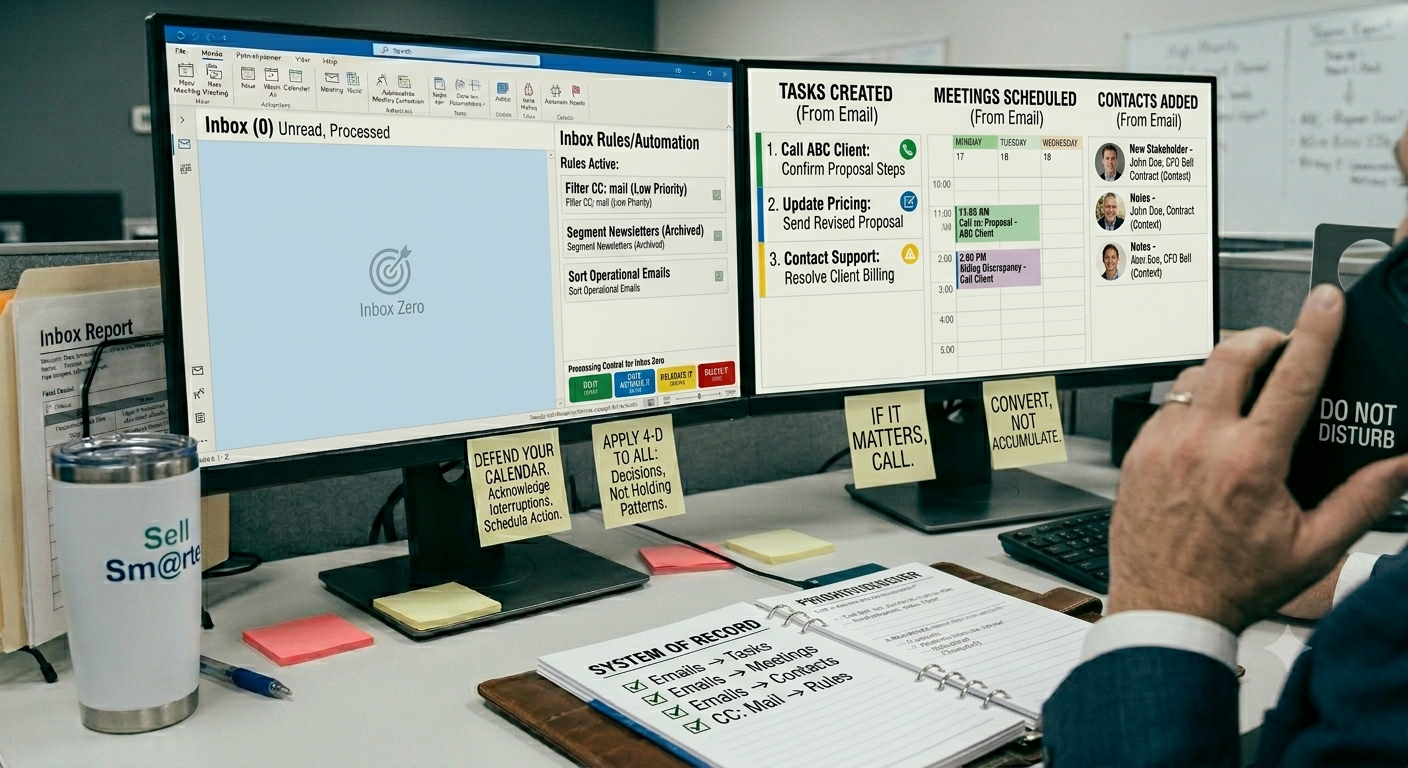
Most salespeople treat email like a real-time communication channel. It isn’t. Email is a delayed-response system that often creates the illusion of urgency while quietly disrupting focus. High-performing sales professionals understand a different truth: if something truly matters, a phone call almost always works better.
Calls create clarity, speed, and tone. Email creates interpretation, delay, and fragmentation. That’s why top performers reserve email for processing work—not managing real-time selling conversations.
Inbox Zero for Salespeople
Inbox Zero isn’t about perfection or having an empty inbox for the sake of aesthetics. It’s about control. It means every email has been processed, not ignored or buried.
The benefits are immediate and compounding:
• Reduced stress – No lingering backlog of unread decisions
• Better visibility – You always know what actually requires attention
• Faster execution – Decisions are made once, not repeatedly revisited
A full inbox creates cognitive drag. A processed inbox creates momentum.
Converting Emails Into Tasks
The most important habit in email management is conversion. Emails are not actions—they are inputs. Every actionable message should become a clearly defined task.
Examples include:
• Follow-up requests → “Call ABC client to confirm next steps on proposal”
• Proposal revisions → “Update pricing section and resend revised proposal”
• Customer issues → “Contact support team and resolve billing discrepancy with client”
Once converted, the email itself is no longer needed as a reminder. The task becomes the system of record.
Converting Emails Into Meetings
Some emails are simply poorly framed meeting requests or conversations waiting to happen. Instead of endless back-and-forth, convert them into scheduled time on the calendar.
A quick call or meeting eliminates ambiguity, accelerates alignment, and keeps deals moving forward. If it requires more than two email exchanges, it usually should have been a meeting from the start.
Converting Emails Into Contacts
Occasionally, emails reveal new stakeholders, influencers, or decision-makers. These should not remain buried in a thread. Instead, they should be added to your contact system immediately with context, ensuring they are integrated into the broader sales process.
Using Rules to Reduce Noise
Not all emails deserve equal attention. Smart sales professionals use automation and rules to filter noise before it ever hits their focus.
Automate or segment:
• CC mail → low priority review folder
• Newsletters → read-later or archive system
• Internal updates → scheduled review times
• Vendor communications → separate operational inbox
The goal is simple: reduce cognitive interruption so high-value selling work gets uninterrupted attention.
Email should serve your sales process—not dominate it.
How Elite Salespeople Plan Their Day
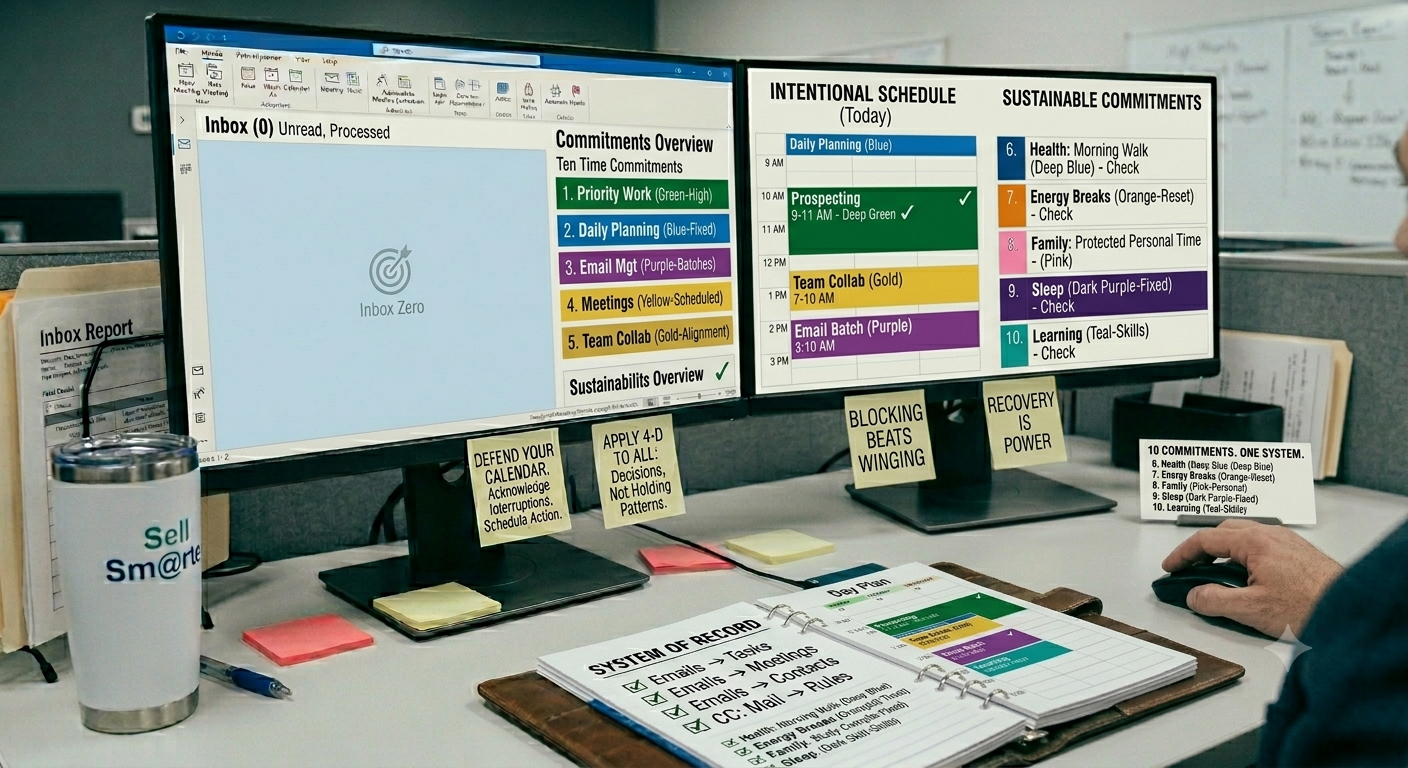
Elite salespeople don’t “wing” their day or react to whatever shows up in their inbox. They operate from a structured set of time commitments that ensures every hour is intentionally allocated. The result is not just higher productivity, but more consistent revenue generation and lower burnout.
At the core of this approach are ten time commitments that shape how top performers design their day.
The Ten Time Commitments
Priority work
This is the non-negotiable revenue engine—prospecting, follow-ups, closing activities, and anything directly tied to pipeline movement.Daily planning
A short but critical block to review goals, organize tasks, and set intention before execution begins.Email management
Structured inbox processing, not constant checking. Email is handled in batches, not continuously.Meetings
Customer calls, internal reviews, and pipeline discussions are scheduled intentionally—not scattered randomly throughout the day.Team collaboration
Time reserved for coordination, alignment, and communication with colleagues so it doesn’t interrupt selling time.Health
Movement, exercise, or physical care that sustains long-term performance.Energy breaks
Short resets throughout the day to maintain focus, avoid fatigue, and sustain decision quality.Family
Protected personal time that ensures relationships are not sacrificed for short-term productivity.Sleep
A fixed commitment that protects recovery, cognitive function, and emotional regulation.Learning
Time dedicated to skill development, market knowledge, and continuous improvement.
Why Work-Life Balance Improves Sales Results
Unlike traditional thinking, work-life balance is not a tradeoff against performance—it is a multiplier of it. Sales is a cognitive and emotional discipline. When energy is depleted, focus declines, communication weakens, and decision-making slows. When recovery, health, and personal priorities are structured into the day, performance improves in every revenue-producing activity.
Elite salespeople understand that consistency beats intensity. A well-rested mind closes more deals than a burned-out one. A focused professional outperforms a busy one. And a balanced schedule creates the stability required for sustained high performance.
Ultimately, the ten time commitments are not about dividing life from work—they are about ensuring that every part of life supports the ability to sell at a higher level, every single day.
The Daily Planning Process
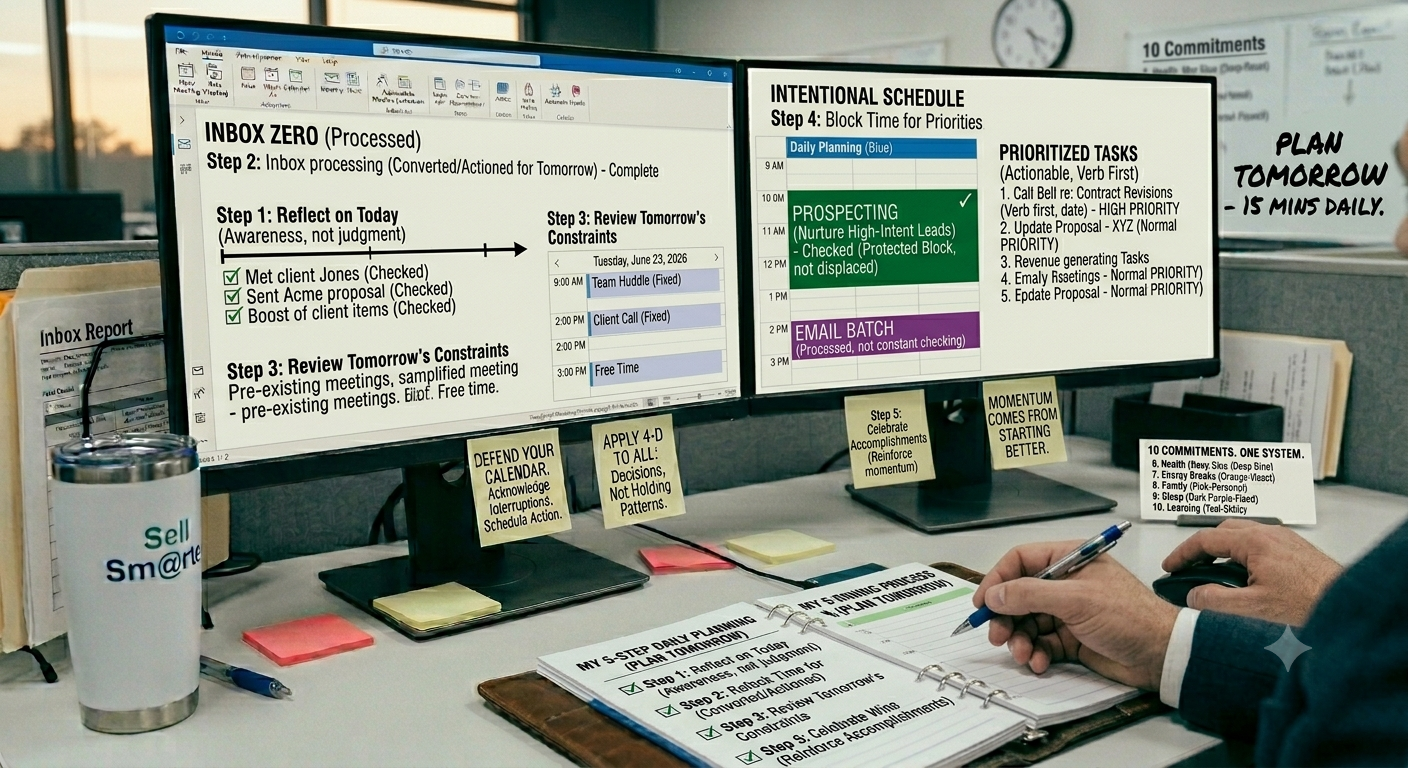
Elite salespeople don’t start their day reacting—they start their day designing. The difference is subtle but powerful. Instead of letting incoming demands dictate focus, they intentionally shape how time will be used before the day begins. At the center of this discipline is a simple but transformative habit: a recurring daily appointment called “Plan Tomorrow.”
This is not a long or complex process. It is a focused 15-minute routine that creates clarity, control, and momentum before the next workday even begins.
The Most Important 15 Minutes of the Day
“Plan Tomorrow” is scheduled as a non-negotiable appointment at the end of each day. It serves as a transition point between execution and preparation. During this window, high performers step out of reactive mode and intentionally design the next day’s performance.
The process follows five simple steps:
Step 1: Review Today’s Results
The first step is reflection. What got done? What moved forward? What stalled? This is not about judgment—it’s about awareness. Understanding today’s outcomes provides the raw data for better decisions tomorrow.
Step 2: Process Email
Before planning the next day, the inbox is cleared and converted. Emails are turned into tasks, meetings, or deletions so nothing unresolved carries forward mentally into the next day’s structure.
Step 3: Review Tomorrow’s Calendar
Next, the calendar is examined to understand existing commitments. Meetings, appointments, and fixed obligations define the available space for actual productive work. This prevents over-scheduling and unrealistic planning.
Step 4: Block Time for Priorities
With awareness of constraints, the next step is intentional allocation. Revenue-generating activities—prospecting, follow-ups, proposals, and account work—are scheduled directly into the calendar. If it is not blocked, it is not protected.
Step 5: Review Accomplishments
Finally, the day ends with recognition of progress. This reinforces forward momentum and builds a psychological sense of completion. Sales is demanding work, and acknowledging wins—no matter how small—helps sustain long-term performance.
Why This Creates Momentum
This simple 15-minute routine creates a powerful compounding effect. Instead of starting each day in decision overload, sales professionals begin with clarity. Instead of reacting to urgency, they execute a pre-built plan. Over time, this reduces friction, improves consistency, and increases output without increasing stress.
Momentum in sales doesn’t come from doing more—it comes from starting better. And nothing improves the start of a day more than intentionally designing it the night before.
Annual, Quarterly, Monthly, Weekly, and Daily Planning
High-performing sales professionals don’t rely on motivation to drive results—they rely on structure. Performance improves when goals are translated into a connected system of execution that moves from long-term vision down to daily action. This is the purpose of the Planning Pyramid.
The Planning Pyramid
Effective planning flows in a clear hierarchy:
Annual Goals
↓
Quarterly Objectives
↓
Monthly Projects
↓
Weekly Priorities
↓
Daily Activities
Each level breaks the one above it into increasingly specific actions. Without this structure, goals remain abstract. With it, they become executable.
Annual goals define direction—revenue targets, pipeline growth, or market expansion. Quarterly objectives translate those goals into measurable focus areas. Monthly projects define what must be built or advanced. Weekly priorities determine what actually gets attention. Daily activities determine what gets done.
The key shift is this: goals don’t create results—daily execution does.
Turning Intentions Into Action
Most salespeople stop at planning. Elite performers go further by embedding their plan into their tools and environment, especially Outlook.
Using Outlook effectively means turning every level of the pyramid into something visible and scheduled:
• Goals – Stored and reviewed regularly to maintain direction
• Contacts – Organized pipeline relationships tied to active opportunities
• Recurring tasks – Weekly and monthly actions that ensure consistency
• Calendar blocks – Protected time for execution, not just availability
When goals live only in documents or presentations, they remain theoretical. When they are integrated into a system of tasks, contacts, and calendar blocks, they become operational.
Why Most Sales Goals Fail
Most sales goals fail for a simple reason: lack of scheduled execution.
People set targets, but they don’t assign time to achieve them. Without protected calendar space, even the best intentions get replaced by urgency, interruptions, and reactive work.
The difference between top performers and everyone else is not goal quality—it is execution discipline. They don’t just decide what matters. They decide when it will happen, and they protect that time relentlessly.
The Sell Sm@rter Time Management Framework
High-performing sales professionals don’t rely on hacks or motivation—they rely on a structured philosophy of time. The Sell Sm@rter Time Management Framework is built on five core principles that turn chaos into consistency and activity into revenue.
The Five Core Principles
Principle 1: Your Calendar Is Your Strategy
Your calendar is not a reflection of your availability—it is a reflection of your priorities. Every block of time represents a strategic decision about what drives revenue, relationships, and results. If it’s not on the calendar, it doesn’t exist in execution.
Principle 2: Your Tasks Drive Execution
Tasks are where strategy becomes action. A well-built task system ensures that nothing is vague, forgotten, or delayed. Every task should represent a clear next step, not an idea or reminder. Execution lives here.
Principle 3: Your Inbox Is Temporary
Email is not a storage system or a to-do list. It is a processing station. Once an email is read, it must be converted into a task, meeting, contact, or deletion. The inbox is not a destination—it is a transition point.
Principle 4: Every Commitment Must Have a Home
Nothing should exist in limbo. Every commitment—whether it comes from a conversation, email, or meeting—must be assigned a home: calendar block, task list, contact record, or deleted entirely. If it doesn’t have a place, it creates mental clutter and execution gaps.
Principle 5: Plan Tomorrow Before Today Ends
The most effective salespeople don’t start their day—they pre-build it. Planning tomorrow before today ends ensures clarity, eliminates decision fatigue, and creates immediate momentum from the first hour of the morning.
Together, these principles create a closed-loop system where nothing is lost, everything is intentional, and execution becomes predictable. Instead of reacting to the day, sales professionals operate from a structured system that continuously converts time into revenue-producing action.
Conclusion: Stop Managing Time and Start Managing Commitments
The biggest misconception in sales productivity is the belief that success comes from better time management. It doesn’t. Time is fixed. Everyone gets the same 24 hours. What separates high performers from everyone else is not how they manage time—it’s how they manage commitments.
You cannot manage time. It moves forward regardless of your input, your workload, or your intentions. Trying to “get better at time management” is like trying to slow down a clock. It’s the wrong problem.
What you can manage is what you agree to, what you prioritize, and what you choose to focus on in any given moment.
You can manage commitments. Every meeting you accept, every email you respond to, every task you take on is a commitment that either strengthens your pipeline or fragments your attention. The best sales professionals are highly selective about what they allow into their day.
You can manage priorities. Not all work is equal, even if it feels urgent. Top performers consistently distinguish between revenue-producing activity and noise. They don’t just work from a list—they work from a hierarchy of importance.
You can manage attention. This is the most valuable asset in modern sales. Where your attention goes determines your output. Protecting focus is more important than increasing effort. Without control of attention, even the best strategy breaks down under distraction.
When you combine these four disciplines—commitments, priorities, attention, and structured execution—you stop reacting to your environment and start shaping it.
Closing Thought
The highest-performing sales professionals don't work harder than everyone else. They simply make better decisions about where their time goes.
They decide what deserves a place on their calendar.
They decide what becomes a task and what gets eliminated.
They decide what gets their attention—and what does not.
When you learn to control your calendar, your tasks, and your attention, you don't just become more productive—you Sell Sm@rter.

Learn more about the Sell Smarter with Microsoft Outlook time and sales workload management program.